












































































































































































































































































































































































































































































Introduction to Active Directory
What is Active Directory?
AD is a service developed by MS for managing and organizing resources within a network. Such as users, computers and other devices. It provides a centralized way to manage and secure large-scale IT environments.
Core AD services include:
- Authentication - Verifying user identities through different means. User credentials, certificates, etc. There's a few different ways of validating identities.
- Authorisation - Ensuring users have the right permissions to access resources (files, applications, etc). You access the domain with a specific role and can access specific resources.
- Directory Services - Organising and managing network resources (users, computers, groups) and access policies in a centralised directory.
Services and Technologies
An AD network can be adapted to support many different services and technologies.
Certificate Services (AD CS)
- TLS Certs (x.509)
- Set up an entire Centralized Authority (CA) infrastructure
- Authenticate servers and clients through these certs
Many more:
- Federation Services (AD FS)
- Lightweight Directory Services (LDS)
- Rights Management Services (RMS)
- Domain Name System Integration (DNS)
Components of Active Directory
Since AD is a complex system made up of multiple components interacting with eachother, it is important to understand the role of each component.
Domain Controllers (DC)
Foundational part of AD
Used for many different tasks, such as
- User Authentication
- Storing AD data
- Managing and enforcing security policies
- Processing of directory queries
In context of big domains, there are multiple DCs in a domain to provide redundancy and load balancing.
These DCs replicate data among themselves so if one DC fails, the AD information isn't lost.
Domain Admins
Members of the Domain Admins group have administrative privileges over a specific domain.

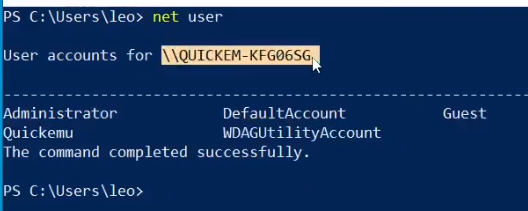
We can see local accounts for a specific machine. Note we're logged as user Leo but it doesn't show up.
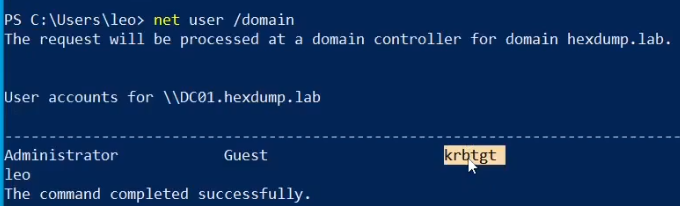
We can see domain users with krbtgt
There's actually a higher privilege group known as Enterprise Admins, which has control over an entire forest (a set of AD domains).
Group Policy Objects (GPOs)
Group Policy is a feature that allows administrators to define settings and enforce policies across users and computers in an AD domain.
Specifically, GPOs are collections of settings that define how various aspects of the network environment should behave. Ranging from user desktop configurations to security settings.
Some examples:
Password Policies
- Force users to use complex passwords and enforcing password expiration
User Rights Assignments
- Defining which users or groups can log on locally or shut the system down
Software Restrictions
- Controlling which application can be executed on domain-joined systems
Security Options
- Configuring things like account lockout policies, kerberos settings or audit policies
Since GPOs are applied during the regular policy refresh interval (around every 90 minutes), you can force the new update.
gpupdate /force
GPOs are applied at different levels
Local
- A single system (computer)
Site
- Geographical location or network segment
Domain
- All systems within a domain
Organisational Unit (OU)
- Specific groups or collections of systems and users within the AD structure
It's also possible to apply a GPO to a specific security group using Security Filtering
To edit GPOs, you can use the Group Policy Management feature and the GPMC console, allowing you to create, manage and apply GPOs to different parts of the AD infrastructure.
Win+R
gpmc.msc
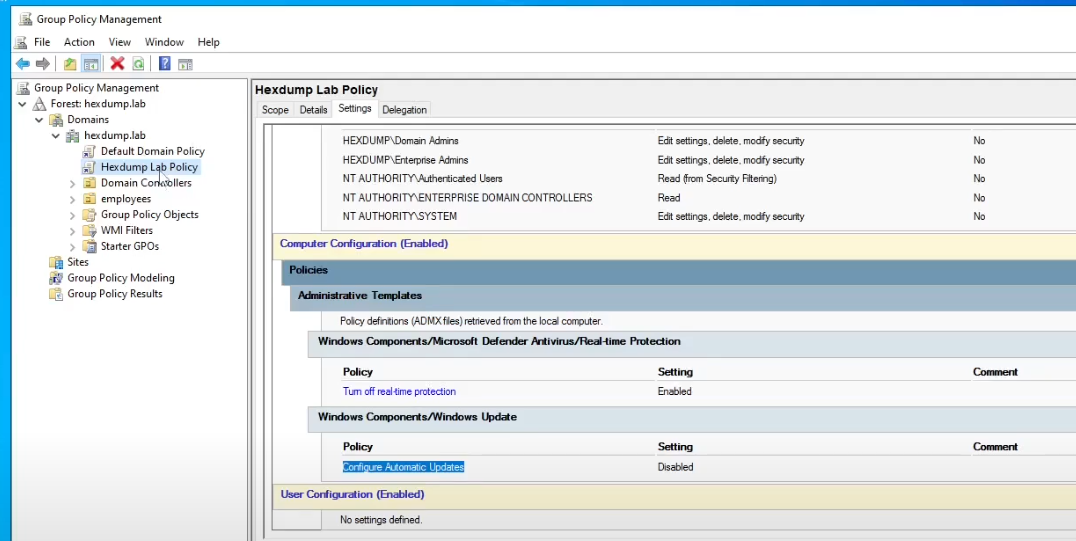
Organisational Units (OUs)
OUs are containers within a domain used to organise AD objects, such as users, computers and groups. They can be used when structuring an AD so as to reflect the organisation's needs and hierarchy.
To create a new OU, use the AD users and computers (ADUC) tool.
Win + R
dsa.msc
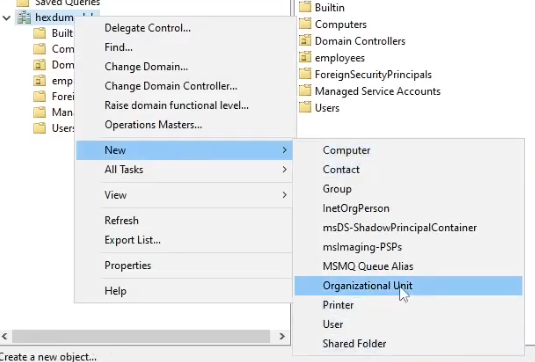
I.e., to create a new OU named "employees", do as follows
rightclick on name.lab
-> New
-> Organizational Unit
-> Write "employees"
-> Ok
There are different advantages to OUs
- Implement access control based on roles, as OUs can act as security boundaries, allowing implementation of the least security principle.
- GPOs can be applied to specific OUs, which override domain-level policies and can be used for deep customisation as a result.
- OUs can be organized in a hierarchical structure where OUs inherit settings from their parent OUs. It's also possible to block this default inheritance behaviour.
LDAP - Lightweight Directory Access Protocol
LDAP is the protocol used to query and interact with the directory service that stores information about the AD (users, groups, computers, printers, etc)
In context to AD, LDAP allows clients and administrators to access and manage the information of an AD network.
Specifically, it can be used for
- Authentication and Authorization
- Directory browsing
- Administrative tasks over the domain
Queries in LDAP look like this:
(&(objectClass=user)(sAMAccountName=leo))
These queries can be executed within powershell. This gets us the principal name, given name, object GUID, etc.
Import-Module ActiveDirectory
Get-ADUser -LDAPFilter "(&(objectClass=user)(sAMAccountName=leo))"
Kerberos
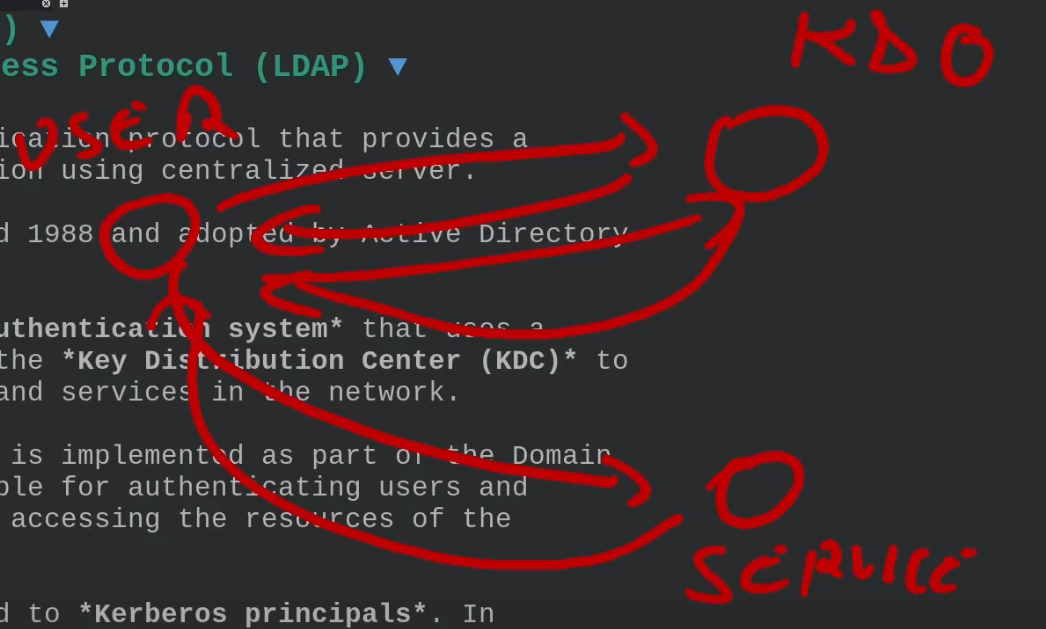
Kerberos is a network authentication protocol providing a secure method for authentication using a centralized server. Developed at MIT around 1988 and adopted by AD for authentication purposes.
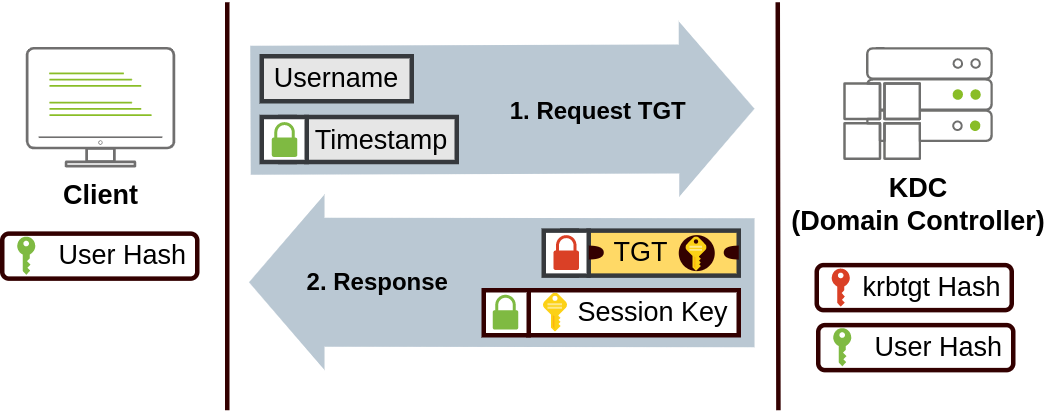
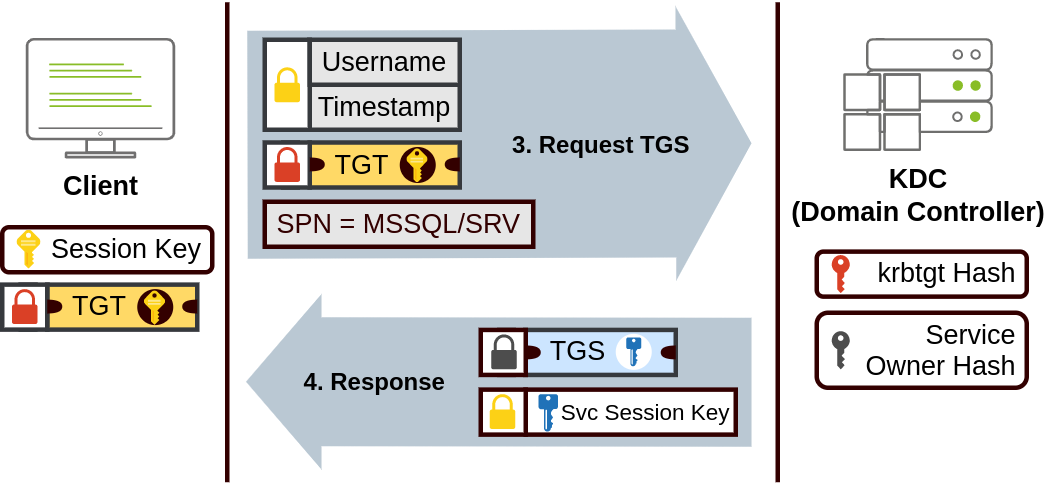
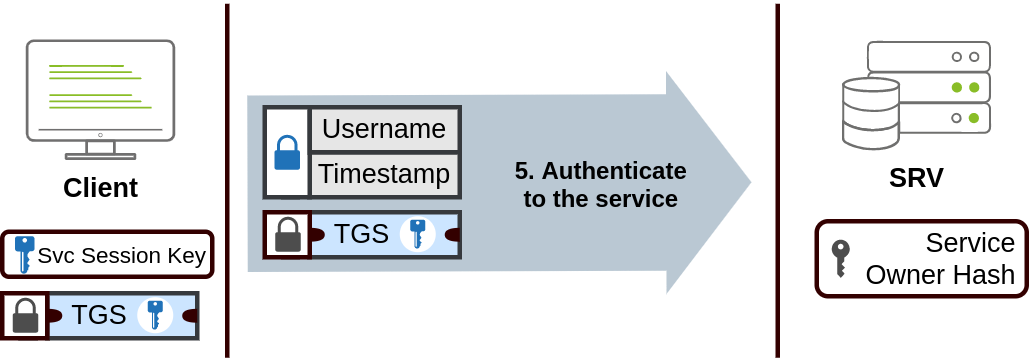
Kerberos is a ticketed-based authentication system using a trusted third-party known as the Key Distribution Center (KDC) to verify the identity of users and services in the network. In the context of AD, the KDC is implemeted as part of the DC which is responsible for authenticating users and issuing tickets used for accessing the resources of the domain.
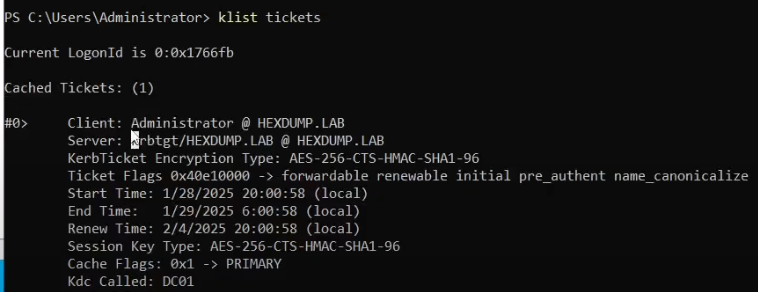
User accounts in AD are linked to Kerberos principals. In kerberos, a principal is an identity that can be authenticated. Each principal has a unique name and kerberos issues tickets to these principals. To see Kerberos tickets associated with your user, run this:
klist tickets
NTDS.dit
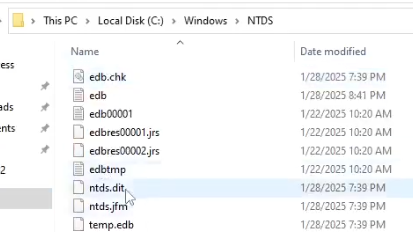
A critical file representing the core database where all the information about AD is stored.
NTDS.dit -> New Technology Directory Services Directory Information Tree
Specifically it contains the entire structure of the domain, domain-wide settings, security policies, password hashes, replication of data needed for multiple domain controllers.
SYSVOL (System Volume)
A shared folder on DCs in AD that stores and replicates important system data across all DCs in a domain.
Specifically it contains the following
- GPO files
- Scripts
SYSVOL must be consistently replicated across DCs to ensure uniform application of policies and scripts. Changes made in the SYSVOL directory are replicated across DCs using:
- File Replication Service (FRS) (in older versions of Windows Server)
- Distributed File System Replication (DFSR) (in newer versions)
Global Catalog
Distributed data store in AD containing a partial replica of every object in the AD forest. It helps in fast searching across all domains in the forest and is essential for user logins, especially in multi-domain environments.